To enable Flash in Microsoft Edge click this button:

Or follow these steps:
1. Open the Microsoft Edge browser on the computer.
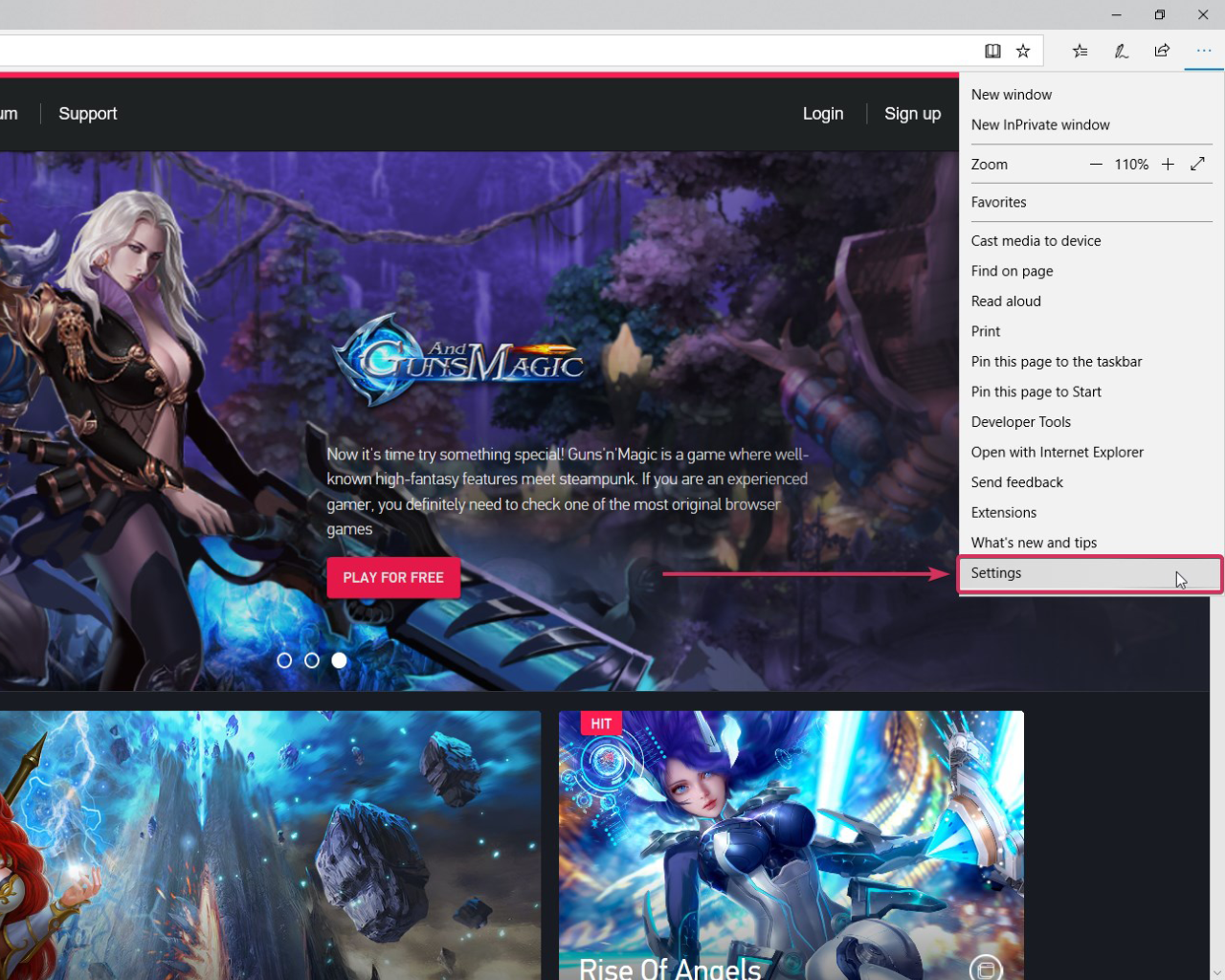
2. Click the icon with three dots in the upper right corner:

3. Select “Options” at the bottom of the menu:
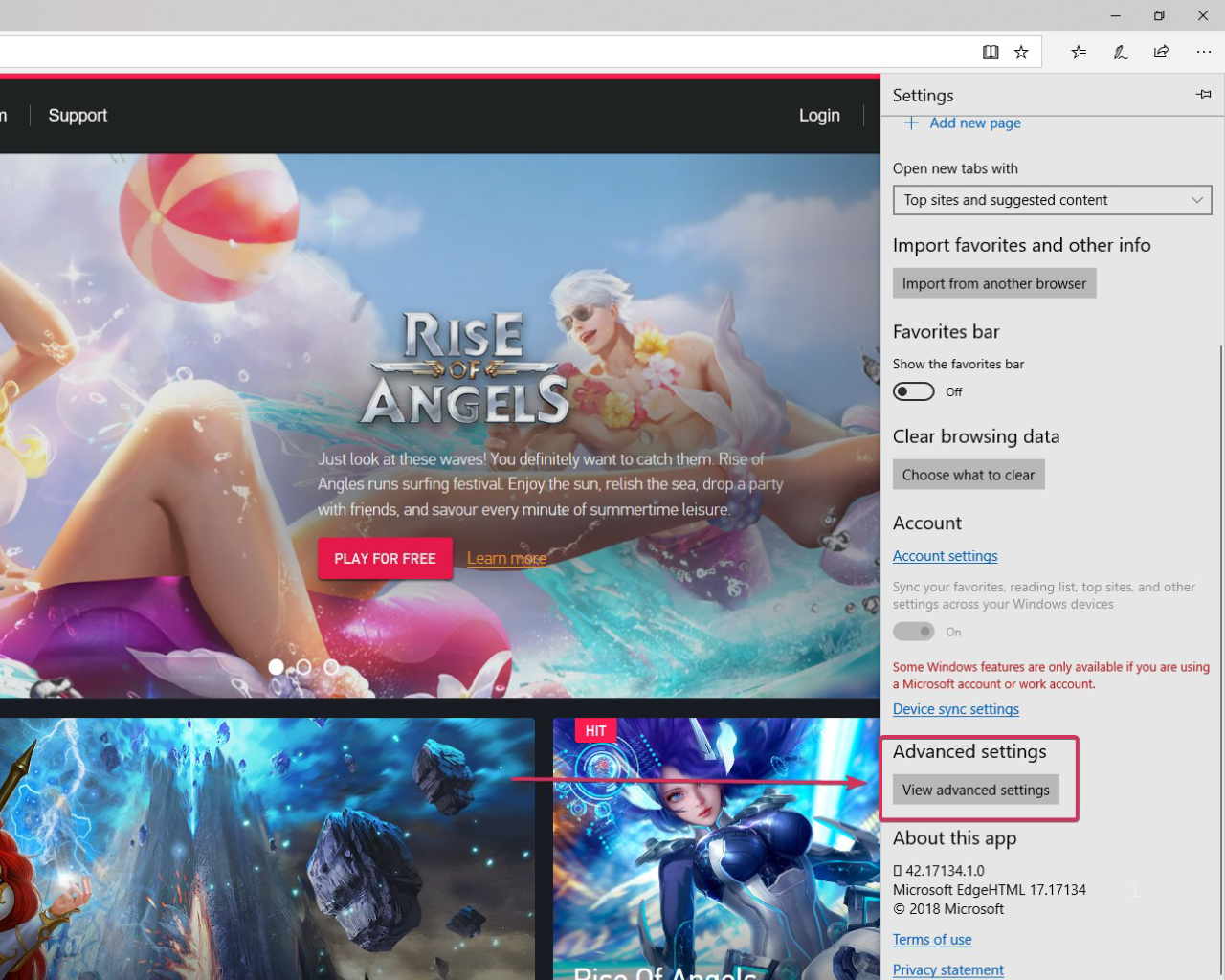
4. Click “View advanced settings”:
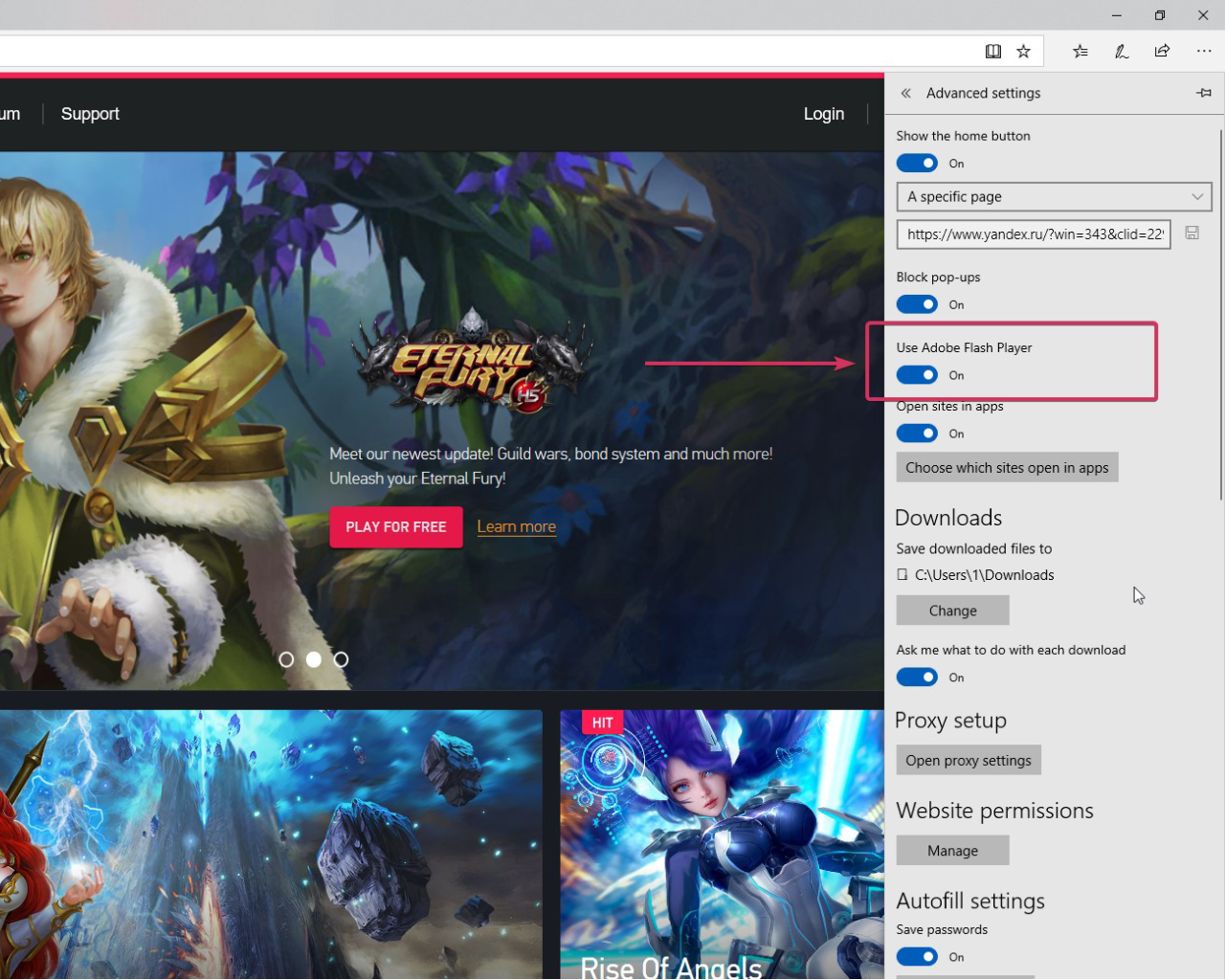
5. Set “Use Adobe Flash Player” to “On”:
6. Reload the page if necessary.
Best wishes, The Creagames Team